
Transform Cycling Routes into Power-Based Workouts
Get personalized cycling workouts optimized for your FTP, weight and target performance.
Why Use Our Workout Generator?
Prepare for Events
Train for races and gran fondos you've never ridden. Understand exactly how much effort to expect and tailor your training to the course demands.
FTP-Based Training
Workouts tailored to your Functional Threshold Power for optimal training stimulus and progression.
Real Terrain Analysis
Upload actual GPX routes with elevation data for realistic power targets that match the terrain demands.
Seamless Integrations
Connect your favorite cycling platforms for instant route import and workout scheduling

Instantly import your saved routes and past activities. Perfect for creating workouts based on your favorite climbs or upcoming gran fondo courses.

Access your meticulously planned routes from Ride with GPS. Import any route from your library and generate structured training plans with accurate power targets.

intervals.icu
Schedule workouts directly to your intervals.icu calendar with one click. No more manual file uploads—your structured workouts appear instantly with full power data.
Analysis & Planning Tools
Visualize your workout in detail, experiment with different scenarios, and understand exactly what's required to meet your goals.
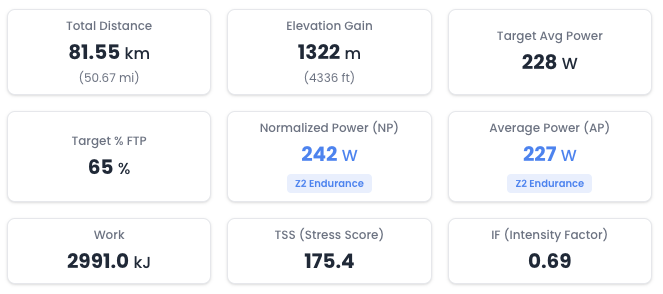
Detailed Effort Metrics
View comprehensive workout statistics including normalized power, TSS, intensity factor, and time in each power zone. Understand the training load and physiological demands at a glance.
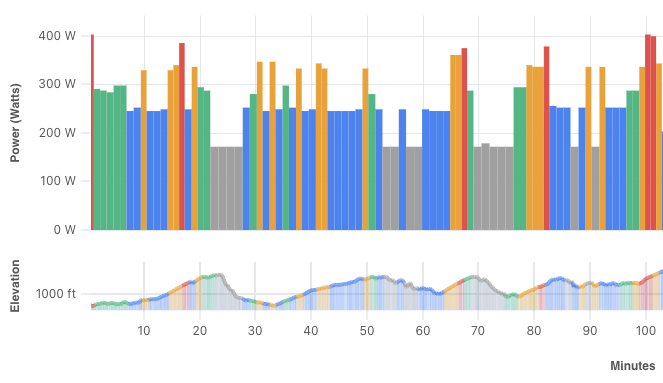
Power Segments Visualization
See individual segments of your workout color-coded by power zone. Identify climbs, descents, and sustained efforts to understand pacing strategy and where you'll need to dig deep.
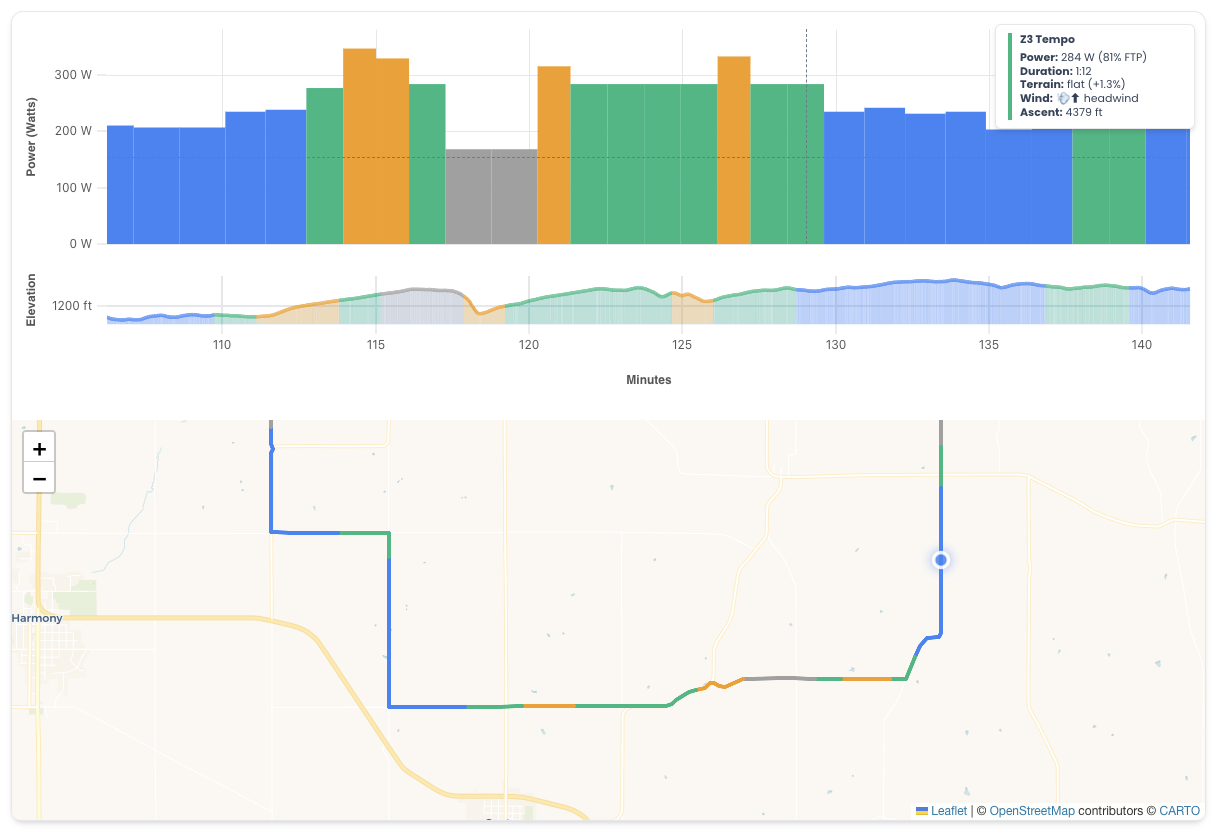
Route Map with Power Overlay
Visualize power segments directly on the route map. Zoom in to see exactly where each effort occurs, helping you mentally prepare for key sections of the course.
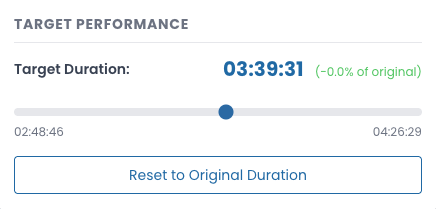
What-If Scenarios
Experiment with target finish times to see how power requirements change. Factor in weather and wind conditions to understand how much harder you'll need to work to achieve your goals.
Power Zone Training
All workouts are calculated using scientifically-based power zones to ensure optimal training adaptations.
Z1 Active Recovery
<55% FTP - Easy spinning
Z2 Endurance
55-76% FTP - Base building
Z3 Tempo
76-90% FTP - Steady effort
Z4 Threshold
90-105% FTP - Race pace
Z5 VO2max
105-120% FTP - High intensity
Z6 Anaerobic
>120% FTP - Sprint efforts
How It Works
Upload Your Route File
Import routes directly from Strava or Ride with GPS, or upload any GPX/TCX file from Garmin Connect, Komoot, or your favorite route planning tool. Connect once and access your entire route library instantly.
Set Up Your Rider Profile
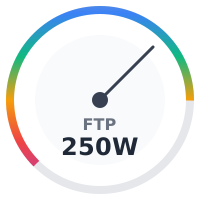
Enter your FTP (Functional Threshold Power), rider weight, and bike weight. Don't know your FTP? Simply import a recent activity from Strava or Ride with GPS and we'll automatically estimate it based on your power data.
Your profile data is used to calculate personalized power targets for each segment, accounting for terrain, gradient, rider position, and aerodynamics—ensuring every workout matches your fitness level.
Adjust Your Target Performance
Set your target duration to adjust the intensity of the workout. Factor in weather conditions and wind to see how much more power you'll need. Run experiments to understand exactly what it takes to hit your time goals.
The engine automatically calculates power zones, normalized power, TSS, and other metrics to help you understand the workout's demands.
View & Save Your Workout
Analyze your workout with interactive charts showing power, elevation, and gradient profiles. Save courses to your library for future reference and quick access to your favorite routes.
Free to Plan, Pay Only to Download
Use the planner completely free. Experiment with routes, adjust settings, and preview results as much as you want.
Use Planner Free
Upload GPX files, create workouts, and view results with no cost or account needed.
Create Profiles
Save multiple rider profiles with different FTP and weight for various times of season.
Save & Preview
Save your favorite courses and preview them anytime before downloading.
3 Free Downloads
Get 3 tokens when you sign in. Try downloading workouts for free!
Only Pay for Downloads
Each workout file download costs 1 token. Everything else - planning, experimenting, saving courses, and previewing results - is completely free.
Tokens Never Expire
Buy tokens once and use them whenever you need. No subscriptions, no monthly fees, no recurring charges.
Indoor Trainer Compatible
Practice event courses indoors before race day. Experience the exact terrain and effort demands on your smart trainer.
Perfect your pacing strategy and build confidence for races you've never ridden.
Zwift*
Export workouts that can be imported directly into Zwift for structured training sessions.
TrainerRoad*
Export workouts that work seamlessly with TrainerRoad for your indoor training.
intervals.icu*
Schedule workouts directly to your calendar or export files. Full integration with automatic sync.
* See disclaimers in footer
Direct Calendar Scheduling NEW
Connect your intervals.icu account and schedule workouts directly to your training calendar with one click. No downloads, no manual imports—your structured workouts appear instantly with full power data and interval breakdowns.
Perfect for athletes using intervals.icu to plan their training. Your course-based workouts integrate seamlessly with your existing training plan.